Pantry Payments and Split Payments
The Show Additional Options hyperlink in the Process Split Payments pop-up screen that appears when users make split payments for pantry items must be clicked to apply the rounding behavior.
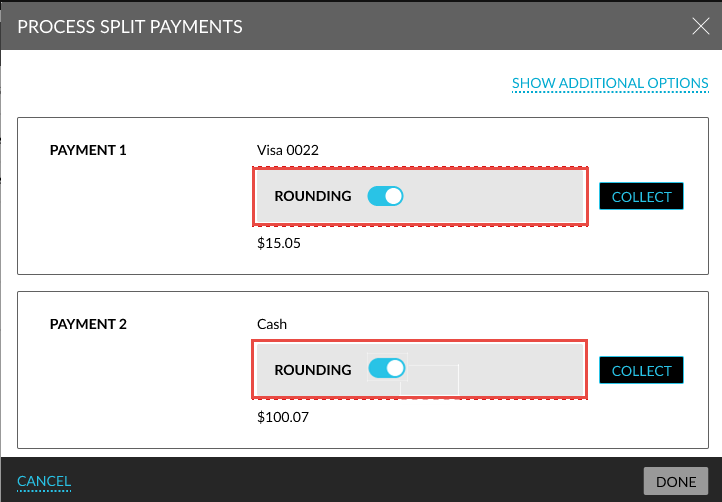
When clicked, the Rounding flag will be displayed for each payment. When enabled, the rounded amount is displayed and processed. When the flag is disabled, the exact amount will be displayed.
For split payments, each payment method will be rounded individually. Any rounding difference will not be displayed in the UI but will be posted to the folio per payment method.
The rounding differences are automatically posted as charge (round up) or credit (round down) to the associated house account folio to ensure that the folio balance is zero. The adjusted amount is also displayed when users print receipts from the folio. For multiple payments, a cumulative adjustment will be displayed.
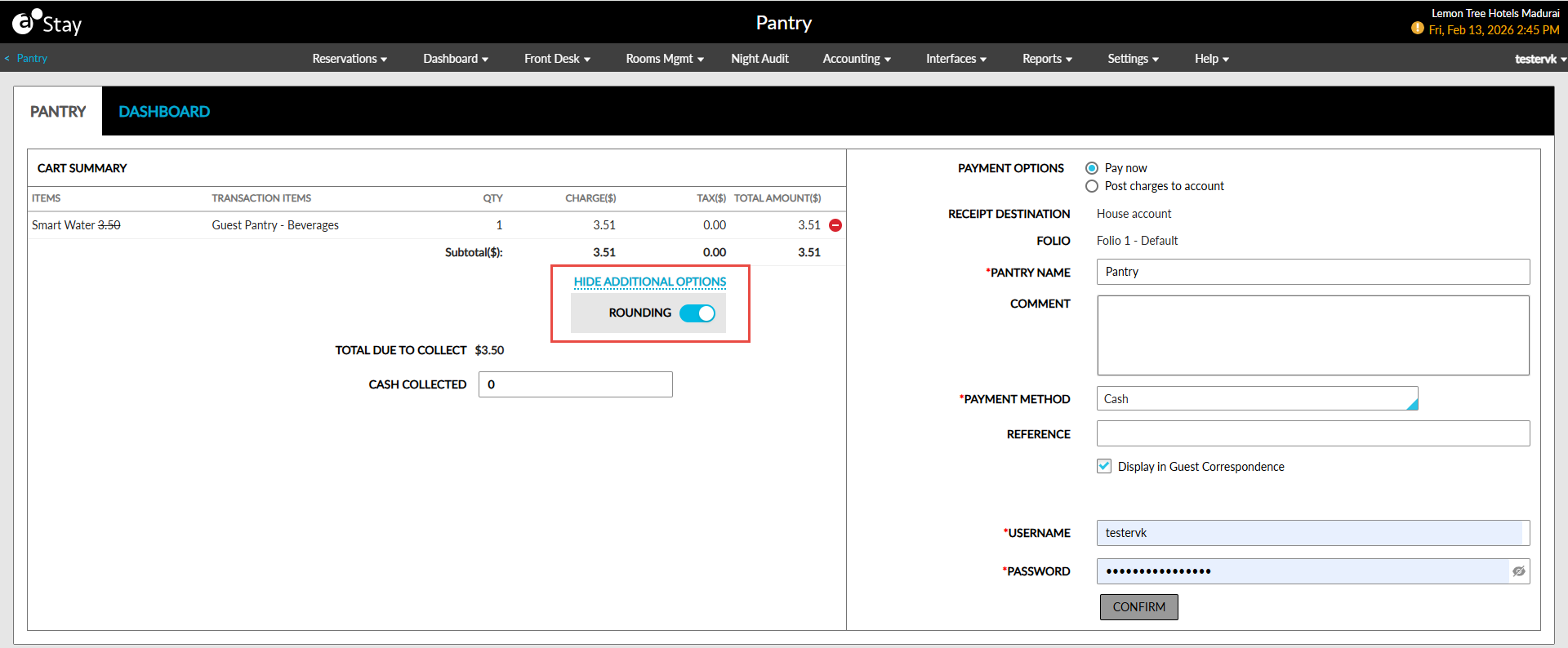
This functionality is also applicable when users select the Pay Now option in the Pantry screen and make payments for pantry items posted to reservations (Reservation ➜ Folio ➜ More ➜ Pantry).
When the Split Payments flag is disabled, a new hyperlink, Show Additional Options, will be displayed in the Cart Summary section of the Pantry screen. When clicked, the Rounding flag will be displayed. The Rounding flag must be enabled to view the rounded amount. Users can complete the payment by entering their credentials and clicking on Proceed.